Software for dietitians
Management that nourishes your practice.
Scheduling, charting, meal plans, and practice finances in one system. Patients get the plan in a link that opens like an app on their phone, no PDF required.
7 days with everything unlocked. No credit card.

The plan on their phone
Patients open the link and see the updated menu. No resending a PDF after every tweak.
Meal plans in fewer clicks
Ready-made templates, a food database, and suggested exchanges. You review and publish.
Patients book through the link
Online booking in the slots you open. On Premium, WhatsApp reminds them about the visit.
Everyone sees what they need
You choose which modules each team member can access, and the plan link uses a long code that search engines do not index.
What NutriHub looks like inside.
Real product screens with sample data. Some features depend on your plan, and the 7-day trial unlocks all of them.
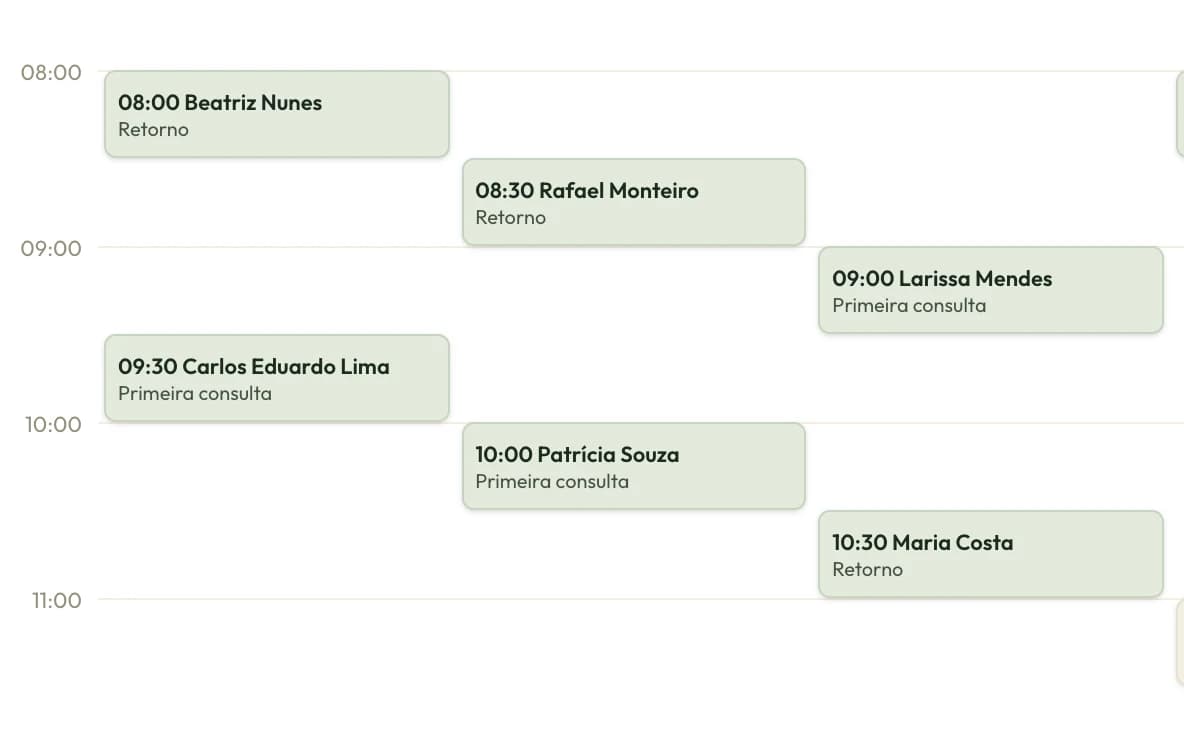
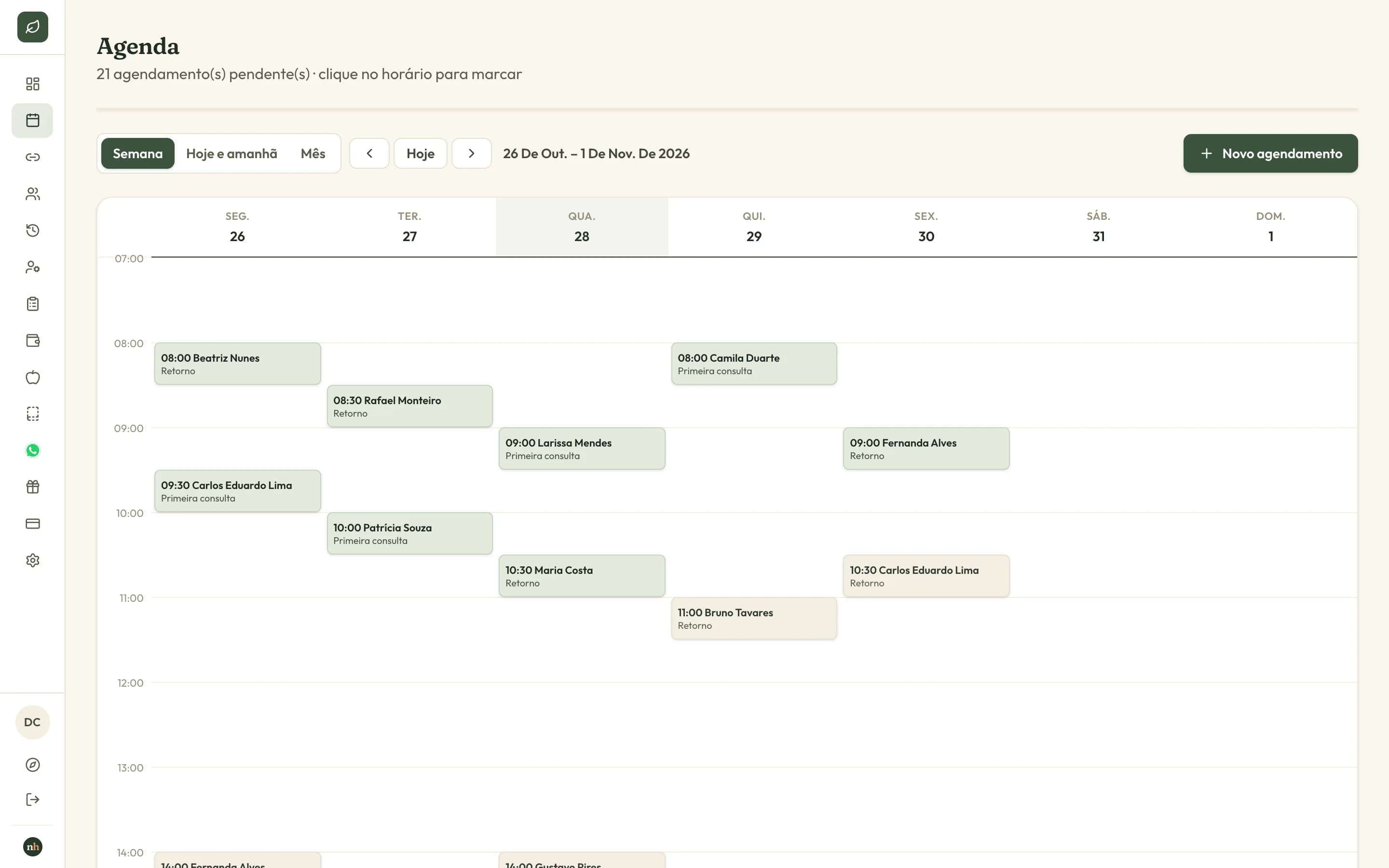
Your full week at a glance
Appointments by provider and type, with a color for each type. Patients can also self-book through online scheduling, and visits can sync to your Google Calendar.
And more
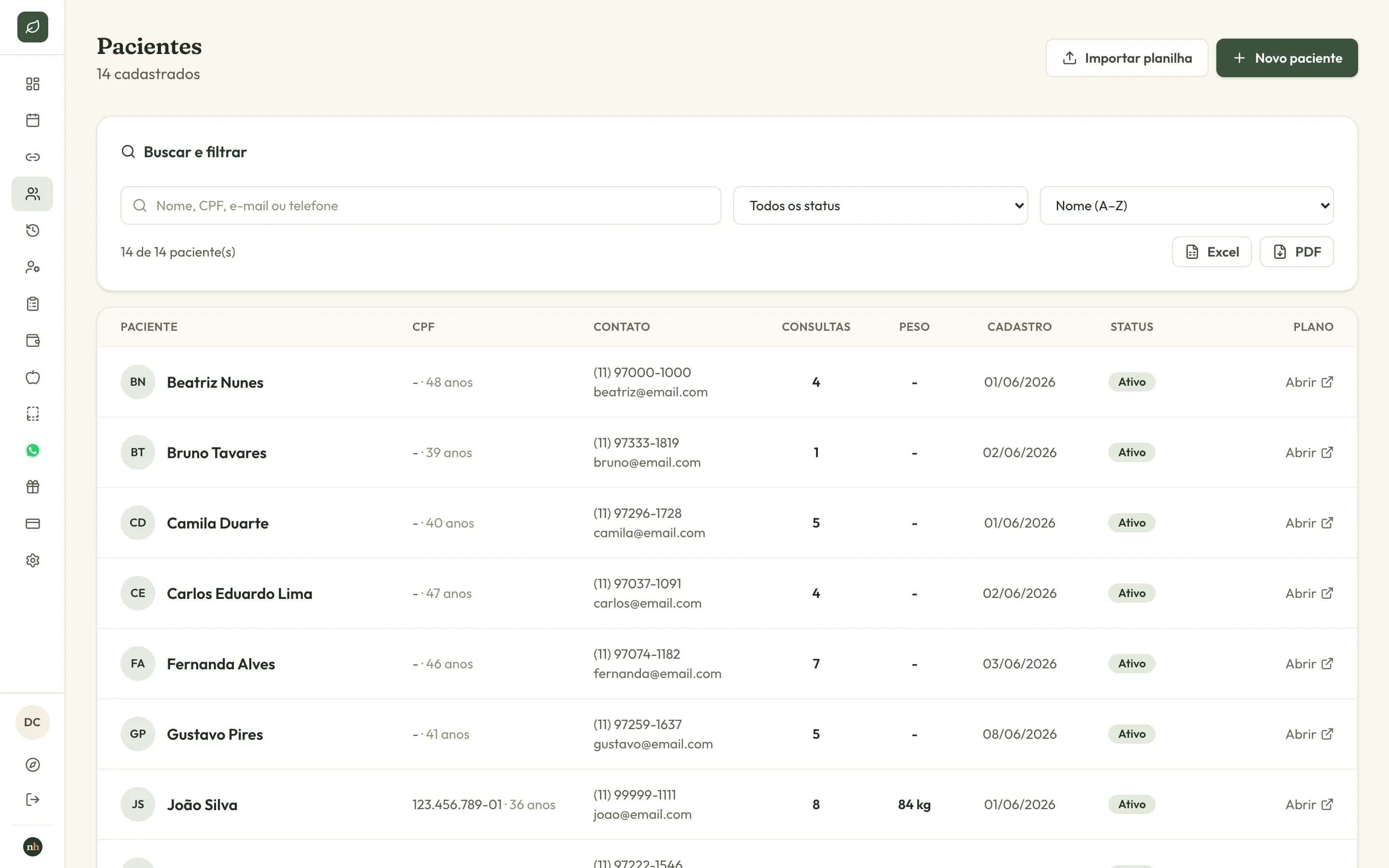
Charting and intake
Digital intake, visits, measurements, and progress on each patient's chart.
Meal plan
Editor with a food database, calculated macros and micros, and suggested equivalent exchanges. You decide.
Meal plan templates
Save a plan as a template and start from it on the next patient.
Appointment types
Duration, price, and modality for each type, with color on the schedule.
Team and permissions
Each provider with their own schedule and access only to the modules you enable.
Clinic branding
Your clinic logo and colors on the plan the patient opens.
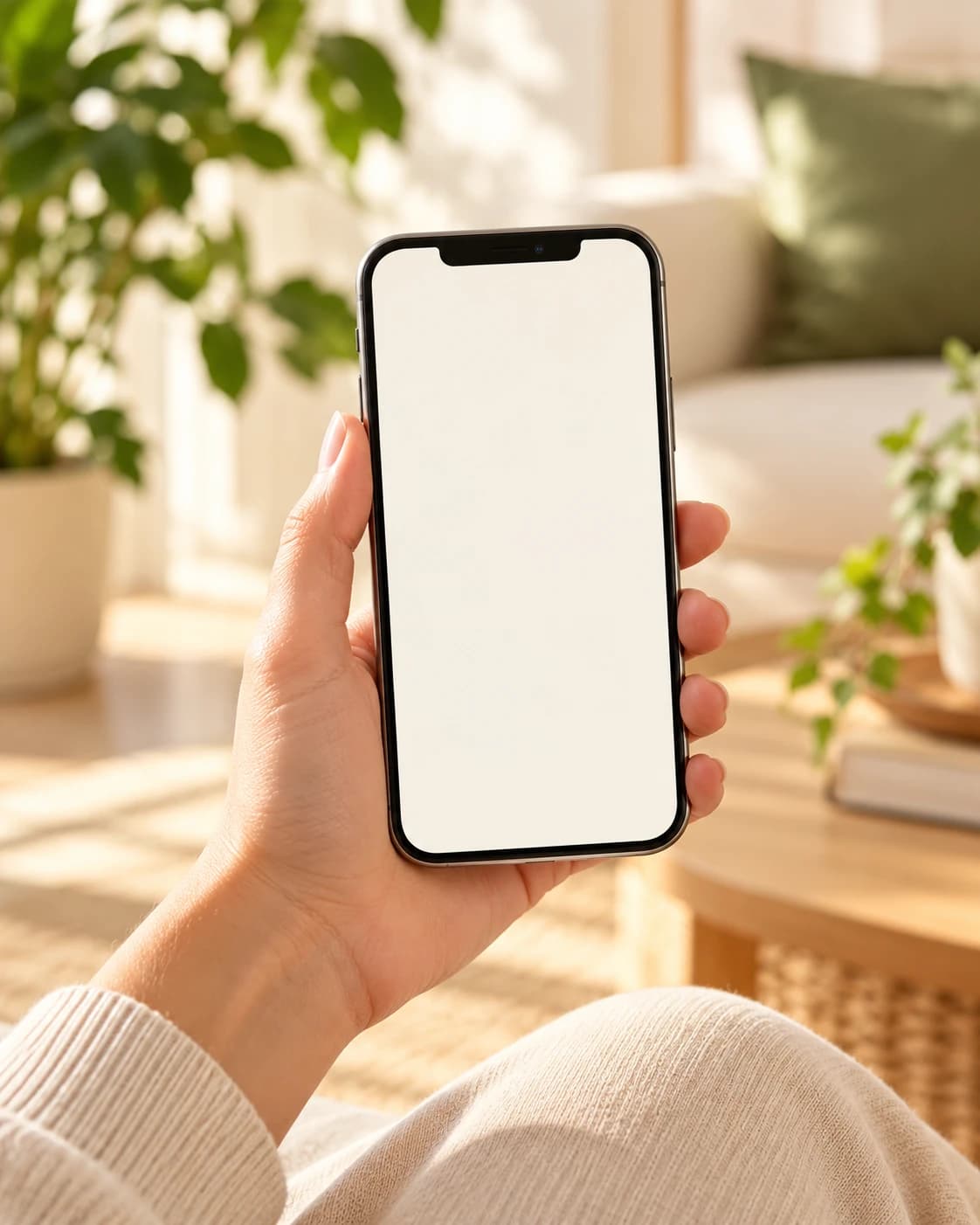
The patient's meal plan becomes an app on their phone.
Patients open the link with no login and nothing to download, and they can add it to their home screen. They see your clinic branding and always the latest version you published.
Menu
Daily calories, meals with times, portions, and equivalent exchanges.
Supplements
What the patient takes, in what dose, and when.
Guidelines
Agreements that apply only to them.
Tips
Support content you repeat with every patient.
A tab only appears when you add content to it. On Android, the patient taps Install app. On iPhone, they use Share and Add to Home Screen.
NutriHub Assistant
online, via WhatsApp
Hi! I forgot what to eat for my afternoon snack.
2:32 PM
Hi, John! Your snack today: Plain yogurt, 170 g 1 glass of water Want me to remind you tomorrow too?
2:32 PM
Yes! And I'd like to reschedule my appointment.
2:33 PM
Sure! Open slots with Dr. Ana: Thursday at 10:00 AM Friday at 3:30 PM Monday at 9:00 AM Reply with the day to confirm.
2:33 PM
On the Premium plan
Your patient is already on WhatsApp. So is the assistant.
NutriHub connects your clinic's official number to a virtual AI assistant. It answers from what you shared about the clinic and routes the conversation to your team when a human needs to step in.
- 01
Virtual front desk
Books, reschedules, and confirms appointments right on your calendar.
- 02
Supports the meal plan
Collects the food diary and daily water intake and answers questions about the plan.
- 03
Reminders and follow-up
Reminds patients before appointments and re-engages those who stop replying.
Clinical questions, complaints, and emergencies go to your team. The AI does not diagnose or change the prescribed diet.
From sign-up to appointment in four steps.
- 1
Create your account and set up the clinic
Name, logo and colors, office hours, and appointment types with duration and price.
- 2
Add your patients
One by one or by importing a spreadsheet. Intake, measurements, and visits stay on the chart.
- 3
Build and publish the meal plan
Pick foods, adjust portions, and publish. The patient gets the link by WhatsApp, email, or PDF.
- 4
Turn on the assistant
Optional on Premium: connect the clinic number and let the assistant book and confirm appointments.
Built for nutrition practices, from solo to clinic.
NutriHub is software for dietitians in private practice, clinics, and sports nutrition: electronic charting, scheduling, digital meal plans, and finances in the same system.
Solo dietitian
Your own office, less paperwork, more time with patients.
Clinical and sports nutrition
Measurements, progress, and reusable meal plans tailored to each patient.
Multidisciplinary clinics
Several providers, each with their own schedule, and finances in one place.
Try it for 7 days, then choose your plan.
The trial unlocks the full product, same as Premium. When it ends, access pauses and your data stays saved.
Basic
An organized practice, from scheduling to finance.
$15per month
or $150 per year, 2 months free
Unlimited patients
- Calendar and online booking for patients
- Patient records and tracking
- Finance with income overview
- Practice expense tracking
- Digital intake and visit history
- Meal plans with a link for the patient
Professional
Clinical nutrition with a food database and an app on the patient's phone.
$22per month
or $220 per year, 2 months free
Unlimited patients
Everything in Basic, plus:
- Nutrient and food database
- Web app on the phone: patients follow the plan without PDFs
- Expanded meal plan library
- Measurements, progress, and before/after comparison
Premium
AI assistant on WhatsApp with your team in the loop, to retain patients and book on autopilot.
$55per month
or $550 per year, 2 months free
Unlimited patients
Everything in Professional, plus:
- AI assistant on WhatsApp, with your team reviewing and taking over chats
- Virtual front desk: books, reschedules, and confirms appointments
- Follow-up with patients on WhatsApp
- Reminders and automatic check-ins to improve show rate
- Diet tracking on WhatsApp: food log and water
- CRM chats and service performance dashboard
Want to see the plans side by side? Open the plans page
Stuck? Help is inside the product.
You do not need to leave NutriHub or send email to get an answer.
Guided tour
On first login, the product walks you through every module. You can replay it anytime.
Help assistant
A chat in the corner explains each module and takes you to the right screen. It is AI that guides without touching your data.
Tickets and suggestions
When that is not enough, the assistant opens a ticket and the team replies in the same chat. Feature suggestions go there too.
NutriHub Assistant
Artificial intelligence. It guides you and never changes your data.
How do I send the plan to the patient?
After publishing the plan, open Send plan to patient. You can send it by WhatsApp, by email, copy the link, or generate the PDF.
Open PatientsWhat dietitians ask before they start.
What is the best software for dietitians?
It depends on what your practice needs. NutriHub brings charting, scheduling, digital meal plans, and finances together, with a 7-day free trial and no credit card. It is worth trying with your own patients before you decide.
How do I send a meal plan without a PDF?
You publish the plan and the patient gets a link by WhatsApp, email, or by copying the address. It opens with no login, shows the menu in the latest version, and they can add it to their home screen like an app. PDF is still there when you need it.
Does NutriHub have scheduling for dietitians?
Yes. You book visits by patient, provider, and appointment type, update status (confirmed, completed, canceled), and patients can self-schedule with online booking. Appointments can also sync to your Google Calendar.
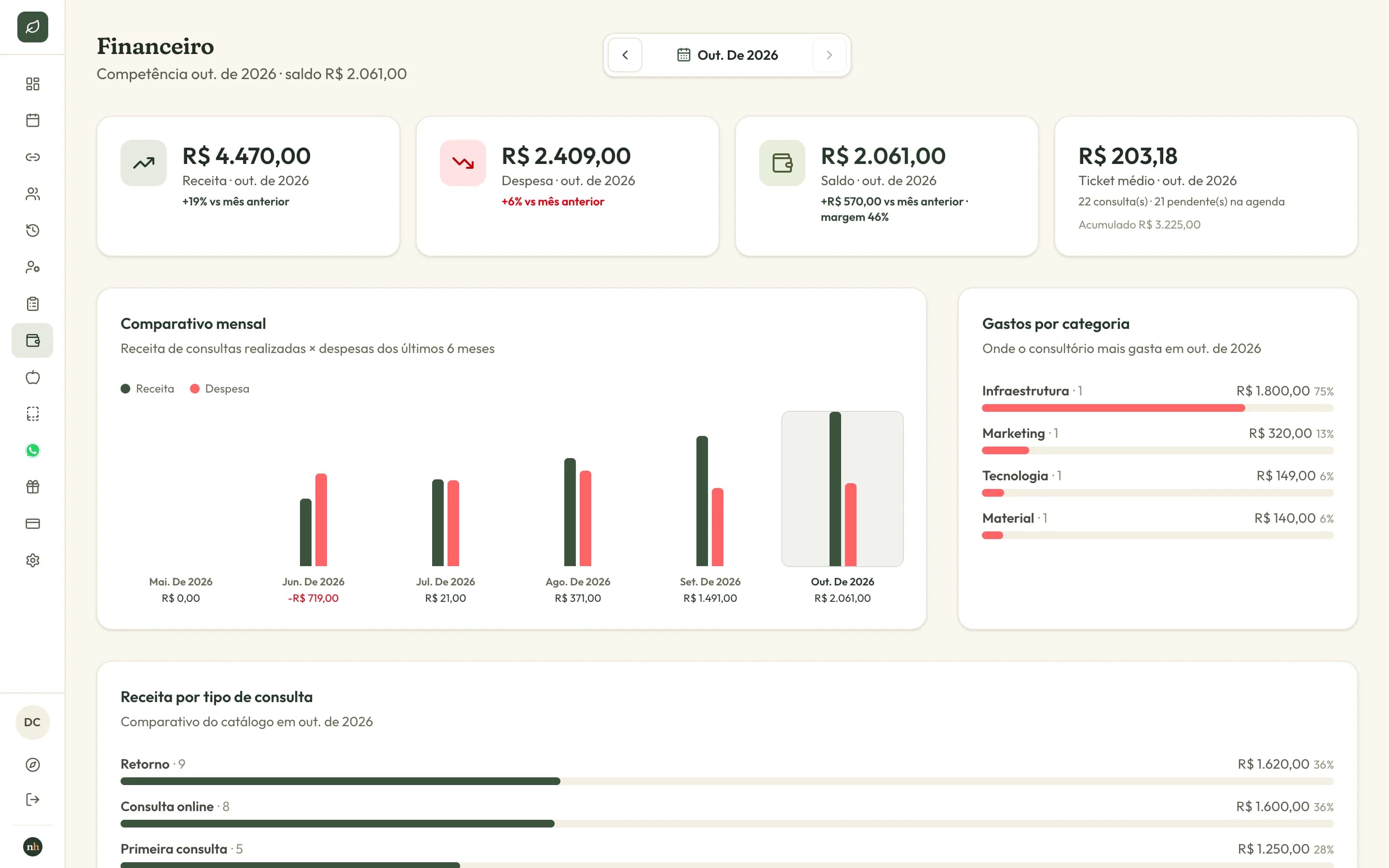
How do I track finances for my nutrition practice?
Finances shows income from completed visits, expenses by category, and balance for the period, tied to the schedule. It is internal practice tracking.
Does the patient have to install anything on their phone?
No. The patient opens the plan link in the browser. If they want, they add it to the home screen and it opens like an app, with no app store.
How does the 7-day free trial work?
You create an account with no credit card and use the full product for 7 days, with the same resources as Premium. When the trial ends, access pauses until you pick a plan, and your data is not deleted.
Can I add several providers at one clinic?
Yes. Each provider has their own schedule, permissions, and appointment types with their own prices, and you can filter history by provider. Finances stay in one place.
What is the progress animation?
It is a presentation of the patient's measurements, comparing before and after, to show on screen in the office during the visit.
How does the meal-plan assistant work on WhatsApp?
On Premium, your clinic's official number connects to a virtual AI assistant. It answers from what you wrote about the clinic, books, reschedules, and confirms visits, and supports the diet with food diary and water intake. Clinical questions, complaints, and emergencies go to your team. For now it only reads text: audio and images are not supported yet.
How much does it cost to send WhatsApp messages?
NutriHub does not charge per message. Meta bills the clinic's WhatsApp Business account, and only for messages the clinic starts after 24 hours without a patient reply. Replying within those 24 hours has no charge. Pricing follows Meta's table, which can change.
Is there CRM for dietitians in NutriHub?
NutriHub keeps records, visit history, measurements, and progress for each patient. On Premium, WhatsApp conversations are also organized in a CRM, with the contact profile alongside.
Can NutriHub work as an electronic health record?
You record intake, visits, body measurements, and progress for each patient, with history you can filter by patient and provider. It is your practice chart in digital form.
Does NutriHub issue invoices or charge patients?
No. Finances is internal income and expense tracking. The product does not invoice for visits or charge patients.
Is there an app for the dietitian to download?
No. NutriHub runs in the browser on desktop, tablet, and phone. In this case, the app is the meal plan the patient installs on their home screen.
Who builds NutriHub?
NutriHub is built by LifeHUB Tech, technology that powers businesses. Learn more at lifehubtech.com.br.
Try NutriHub for 7 days.
Create an account, add a patient, and publish a meal plan. No credit card.
Developed by LifeHUB Tech